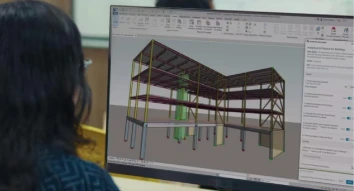
Gain comprehensive knowledge in designing and drafting, and industry-relevant skills with our AutoCAD course, designed to help the trainees create precise 2D drawings, 3D models, and design layouts. Our AutoCAD training helps MEP professionals, engineers, architects, and interior designers to upgrade their skills and take their careers to the next level. Enroll now to improve your accuracy and confidence in your design work.
4.7 Ratings
Overview of AutoCAD Course Offerings
The AutoCAD design course from MEP Dubai provides theoretical knowledge and practical skills in creating technical drawings with confidence and accuracy. Covering all aspects from basics to advanced techniques, AutoCAD classes will help you understand and use the powerful designing software, AutoCAD, and make you fully equipped AutoCAD professionals.
You will gain expertise in 2D drafting, 3D modeling, navigating the software, using the precise drawing tools, and creating technical drawings with AutoCAD training classes. The course will prepare you to create precise designs across a wide range of industries, including manufacturing, construction, MEP, interior design, and more.
Become an expert in handling all types of AutoCAD tools, like drawing, modifying, block creation, layer management, annotation, and 3D modelling.
AutoCAD Design Course Syllabus
The AutoCAD drafting course includes the following topics:
Have an overview of the software and understand its interface.
Understand the navigation tools of the software, including Pan, Zoom, View, etc.
Become familiar with its ribbons, menu bar, and toolbar.
Have an idea about its coordinates, templates, and the basics of file management.
Understand drawing tools such as LINE for creating lines, PLINE for polylines, ARC, POLYGON, RECTANGLE, and ELLIPSE.
Learn about the advanced drawing tools, like SPLINE for creating curves, POINT for placing points, DONUT for creating rings, RAY, and XLINE for creating reference lines.
Know the tools used for making precise drawings, including Polar Tracking, OSNAP, Grid mode, Snap mode, and Ortho mode.
Practical training in creating 2D drawings using AutoCAD.
Learn about the basic modify tools, including MOVE for relocating objects, COPY for creating duplicates, SCALE for resizing objects, ROTATE, MIRROR, and STRETCH.
Study the editing tools, such as TRIM, EXTEND, and BREAK for removing a part of an object, JOIN, and BREAK at Point for splitting an object.
Have an overview of advanced tools, like ARRAY, ALIGN, FILLET, OFFSET, EXPLODE, etc.
Know about object editing tools, such as ERASE, MATCHPROP, etc.
Practical training in using modification tools.
Find out how to set up drawing units and limits, and how to use the coordinating systems
Learn about the creation of basic geometrical shapes and the creation of outlines and boundaries
Study how to work with layers and how to use line types and line weights. Know the setup of layouts and viewports.
Understand how to create parallel objects, trim and extend boundaries, and create patterns.
Practical sessions
Have an overview of model space and paper space and understand the differences between the two.
Understand the creation and management of layouts and the setting up of sheet sizes. Know the insertion of and scaling of title blocks.
Learn how to create viewports in layouts and how to adjust the scale. Study the locking of viewports and the display of multiple views
Know the selection of the printer and paper size and the setting of the plot area. Learn about plot preview, troubleshooting and printing to scale.
Practical training
Find out how to add single-line and mutiple line text. Know the formatting, editing, and modifying of text.
Understand various dimensioning standards like linear, aligned, angular, and radius dimensions.
Learn about the creation and modification of dimension styles. Study the setting of the text height and arrow size.
Study the creation of leaders and multileaders, the application of hatch patterns, and the usage of gradient files.
Know how to place annotations in the model and layout, and the differences between the two.
Have an overview of what a block is and the benefits of using them. Know the blocks that are frequently used in projects.
Understand how to create a block, select the objects for it, and name and save blocks.
Find out how to insert, scale, rotate, place, explode, and update blocks
Learn how to use external blocks, edit them, and save the block editor.
Practical training
Understand the differences between 2D drafting and 3D modeling. Study the 3D workspace.
Learn about the basic drawing tools used for creating 3D primitives, tools used for converting 2D into 3D, and tools used for creating 3D objects.
Study the editing of 3D objects by moving and rotating them in 3D space.
Find out how to change visual styles, view models from different angles, apply basic materials, and create simple models.
Practical sessions
The Importance of AutoCAD Design and Drafting Certification
AutoCAD certification proves your ability to create technical drawings using AutoCAD software. It increases your career prospects and opens doors for many job opportunities in Dubai and abroad. AutoCAD certification classes from MEP Dubai provide you with the skills to apply your knowledge in real-world projects. This gives you a competitive edge over others in the job market.
Why Learn an AutoCAD Certification Course
The AutoCAD certificate program is helpful to professional engineers, architects, MEP professionals, and interior designers in completing their projects quickly and with minimal errors. The AutoCAD drafting course equips you with all the skills in AutoCAD, from basic to advanced. The practical sessions help you to apply them in real projects. Beginners can enter the job market with confidence, and working professionals can improve their careers with the AutoCAD certification course.
Industry Demand for Skilled AutoCAD professionals in Dubai
The demand for skilled AutoCAD professionals is high in Dubai due to the construction and infrastructure boom.
Architecture firms are looking for professionals with AutoCAD knowledge to create precise plans and layouts.
There are several job openings for AutoCAD professionals in manufacturing, civil, MEP, and architecture firms.
Freelance and consulting opportunities are also high in Dubai for those who have completed AutoCAD drafting classes.
AutoCAD Course Training Outcome
An AutoCAD certification course makes you proficient in creating accurate 2D technical drawings using the software. It provides you with the skills to create simple 3D models. The AutoCAD MEP course gives you the expertise to create and manage blocks. This is of great help in increasing your productivity and ensuring you complete the projects fast. The practical sessions help you to work on the real world projects with lots of ease and confidence.
Get an internationally-recognized certificate after completing the AutoCAD course, which will increase your job prospects and earning potential. Improve your skills, accuracy, and speed in creating technical drawings with the AutoCAD drafting class.
Why Choose MEP Dubai for AutoCAD Training Classes in Dubai?
MEP Dubai is a trustworthy name in providing short-term technical courses to working professionals and freshers.
They provide flexible class schedules to suit professionals
The syllabus includes all theoretical and practical aspects from basic to advanced.
You get an industry-recognized certificate, demonstrating your skills to employers.
Career support and placement guidance
FAQs
Yes, it is useful because of the booming construction and infrastructure industry. BIM has been made mandatory in Government projects. So, the course is very useful in Dubai.
The best AutoCAD course for beginners includes practical sessions in its curriculum and equips you with both theoretical and practical knowledge.
The duration varies depending on the syllabus, the intensity of the course, and the institute. However, it may be just a few hours for basic and a few months for advanced courses.
Yes, we provide a certificate recognized internationally.
Yes, it is useful for MEP engineers to prepare duct layouts, plumbing layouts, and Do you provide an AutoCAD certification? cable routing. It increases the accuracy of your drawings.
Having More Questions?
If you have any unanswered questions you can contact the
support team 24/7.
This course is one of the MEP Certification Courses and gives thorough
training in the design of water supply, distribution, and drainage systems. It
equips you with the skills to build cost-effective and water-saving plumbing
designs.
The firefighting design course covers practical and theoretical aspects
of the design of
fire protection system. It is perfect for MEP engineers interested in designing
safe,
efficient, and effective firefighting systems.
This course from MEP Training Institute Dubai provides comprehensive
knowledge of
residential, industrial, and commercial heating, ventilation, and air conditioning
systems. It offers practical training in load calculations, the selection of
chillers
and AHUs, and the use of software tools for HVAC design.






 Plumbing Design Course